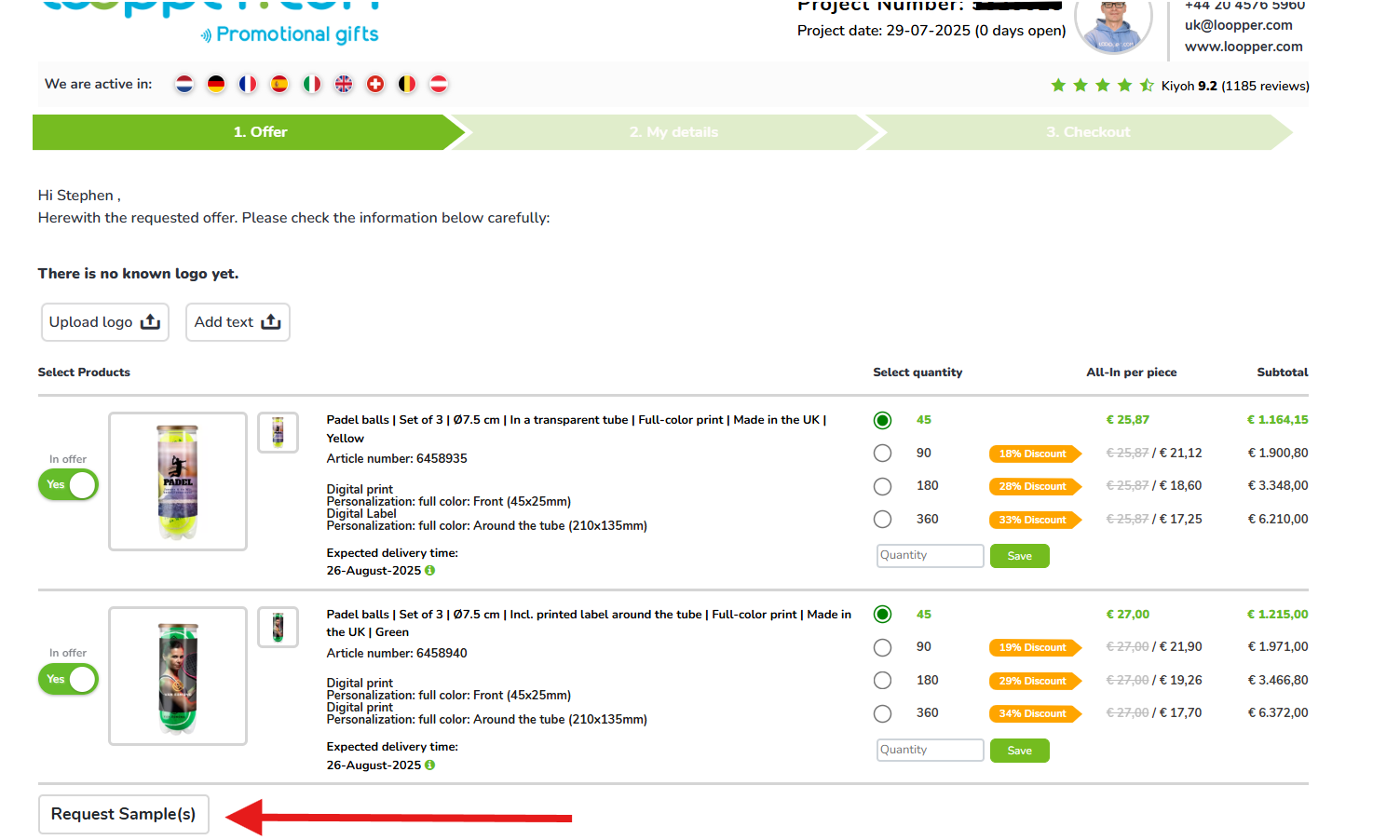
Ordering a sample has never been easier! You can now request a sample directly from your online offer page. If you don't have a quote yet, simply request one through our online shop. We will then send you a quote. You'll then have the option to request a sample.
Here's how it works:
Locate Your Online Offer
Open the offer link that was shared with you by our team.
Click the "Request Sample" Button
You’ll see a button or link labeled “Request a Sample” in your offer overview.
Click it to submit your sample request.
We’ll Take It From There
Once submitted, our system will:
Create an internal sample request notification (visible to our team).
Automatically generate a sample offer ticket.
Review by Our Team
A team member will review your request.
Customer Comments
You can leave comments when requesting a sample.
Final Confirmation
After reviewing the request, we will send you the sample offer by email for your approval and confirmation.
Was this article helpful?
That’s Great!
Thank you for your feedback
Sorry! We couldn't be helpful
Thank you for your feedback
Feedback sent
We appreciate your effort and will try to fix the article